Your home directory is not just a folder.
It is your shell, your editor, your aliases, your Git identity, your terminal habits, your small scripts, your machine-specific tweaks, and all the tiny decisions that make a computer feel like yours.
And if you have ever moved to a new machine, reinstalled a system, or tried to reproduce your setup after months of small changes, you already know the problem: your $HOME slowly becomes a living thing that is hard to explain, hard to copy, and easy to lose.
Tildr is now available to make that state intentional.
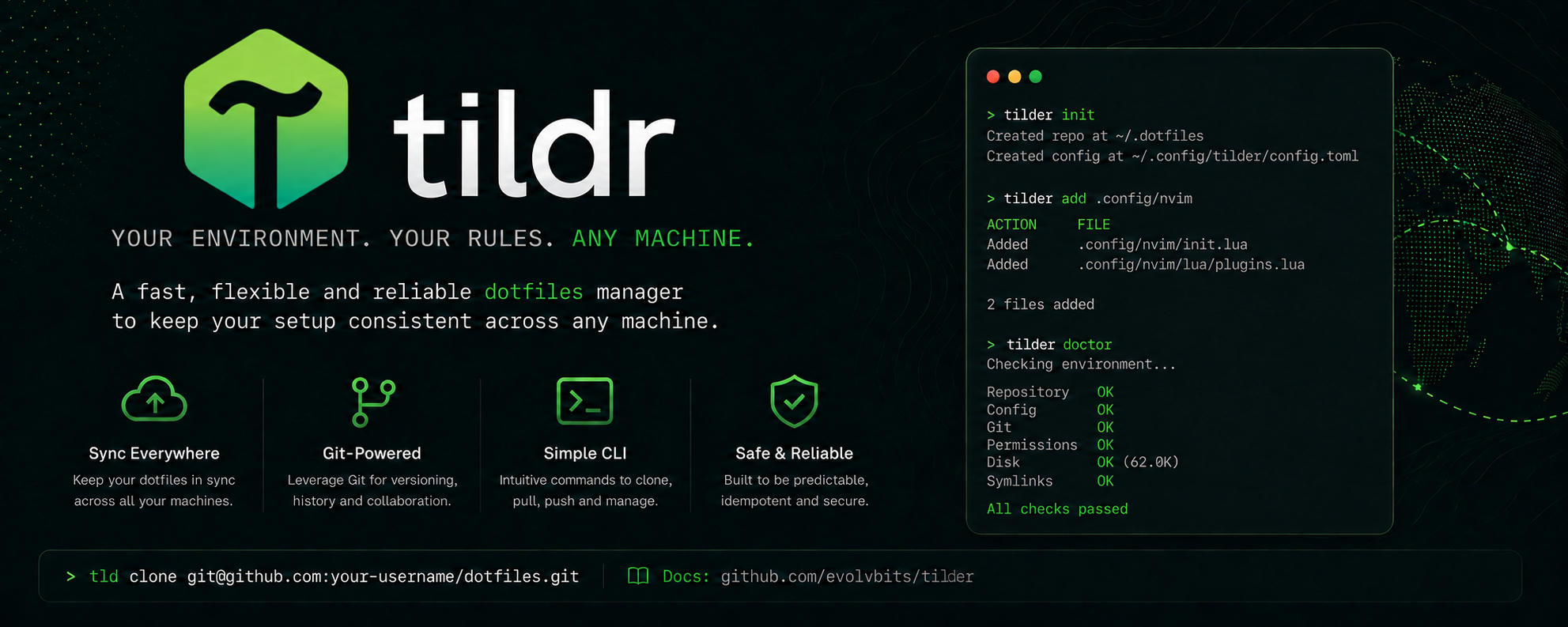
Tildr is a fast Rust CLI for managing your home directory declaratively. It helps you turn the important parts of $HOME into a repository-backed setup that can be inspected, versioned, synchronized, and applied again when you need it.
Not as a messy pile of copied files. Not as a private ritual you have to remember from scratch.
As a reproducible home state.
Why Tildr exists
Dotfiles are personal infrastructure.
They decide how fast your terminal opens, how your editor behaves, how your shell completes commands, how your Git commits are signed, how your prompts look, and how your tools talk to each other. But most of us still manage that infrastructure with a mix of manual copies, half-finished scripts, old notes, and “I will clean this up later” folders.
Tildr starts from a different idea:
Your home directory should have a source of truth.
With Tildr, the files you choose to manage live in a repository inside your home directory. Your active $HOME receives symlinks pointing back to that repository. That means your real configuration stays organized, versionable, and portable, while your system continues to see files exactly where it expects them.
You keep the native Unix model. You gain a controlled workflow around it.
Built for people who actually live in the terminal
Tildr is designed for daily use, not just initial setup.
It is the kind of tool you can keep close while your environment evolves: add a config file when it becomes important, check what is managed, repair symlinks after changes, sync the repository, and keep moving. The goal is not to make your workflow feel abstract. The goal is to make it feel predictable.
That matters when you are managing things like:
- shell profiles and aliases
- editor configuration
- terminal and prompt settings
- Git configuration
- SSH-related workflows
- scripts and small utilities
- machine-specific setup patterns
- sensitive files that need more deliberate handling
Tildr is especially useful if you use more than one machine, reinstall often, care about reproducibility, or simply want your setup to stop depending on memory and luck.
What makes it useful
Tildr focuses on the practical details that make a dotfile manager become your default instead of another experiment.
Repository-backed state
Your managed files live in a real repository. You can inspect it, commit it, review changes, push it, clone it, back it up, and understand what is happening.
Symlink-based application
Tildr keeps your files available at their normal paths in $HOME through symlinks. Tools do not need to know anything special. Your shell, editor, terminal, and Git keep working as expected.
Fast native CLI
Tildr is written in Rust, so it feels quick and direct. It is built to be a small operational tool you can run often without ceremony.
Git-friendly workflow
Your setup becomes easier to version and synchronize. Instead of wondering which machine has the newest copy of .zshrc or nvim, you can treat your environment like a project.
Visibility when things drift
A reproducible setup is only useful if you can see when it is no longer clean. Tildr gives you a way to inspect managed files, missing links, broken links, and state that needs attention.
Designed for Linux and macOS
If your workflow moves between Unix-like environments, Tildr is shaped for that world: $HOME, symlinks, Git, shell tooling, and terminal-first habits.
A better default for dotfiles
The best dotfile manager is not the one with the most magic.
It is the one you trust enough to use every day.
Tildr is intentionally built around explicit behavior. It does not ask you to surrender your home directory to an opaque system. It gives you a repository, a clear model, and commands that make the lifecycle of your files easier to control.
That makes it a strong default if you want:
- a clean way to collect your important configuration
- a reproducible setup for fresh machines
- less manual copying between systems
- a Git-backed history of your environment
- a workflow that stays close to normal Unix behavior
- confidence that your dotfiles are not scattered everywhere
Once Tildr is part of your workflow, setting up a new machine becomes less like archaeology and more like applying a known state.
For fresh installs, new machines, and future you
There is a particular kind of frustration that only appears when you are setting up a machine and realize your “real” configuration was never written down.
The missing alias. The editor plugin you forgot. The Git behavior that feels slightly wrong. The terminal setting you know you changed somewhere. The shell file that exists on one laptop but not another.
Tildr is built for that moment.
It gives future you a place to look and a workflow to repeat. Your environment can become something you carry forward instead of something you reconstruct by instinct.
Start with the files that matter
You do not need to migrate your whole home directory in one dramatic afternoon.
Start with the files you touch most. Your shell config. Your Git config. Your editor config. Your terminal settings. The things that make a new machine feel immediately usable.
Then let your Tildr repository grow as your workflow grows.
Small, inspectable, deliberate steps are the point.
Tildr is available now
Tildr is now available as part of the OrbitBits toolchain.
If your dotfiles are still spread across machines, copied by hand, or trapped in old setup scripts, this is a good moment to give them a proper home.
Make your $HOME declarative. Make it reproducible. Make it yours, on purpose.
Comments